
Guardrails
Switch content guardrails on per organization, watch matches across organizations by count, and use the platform-wide flag-only lever during an incident.
Guardrails let an organization screen its own inference traffic for secrets, personal data and denylisted content, and flag, mask, cloak or block it. The organization's owners and admins write the policies; their guide is Guardrails.
A platform administrator's part is small:
- Set the cloak secret once, for the deployment.
- Switch the feature on for each organization that asks.
- Watch counts across organizations.
- During an incident, switch every organization to Flag only or Off in one step.
A platform administrator never sees an organization's rules, patterns or matched content: the console shows counts only.
Before you start
| Requirement | Why |
|---|---|
Core migration 000134_guardrails has run | It adds the policy, binding, settings and event tables |
TOKAMAK_GUARDRAILS_CLOAK_SECRET is set on tokamak-core (optional) | Cloak stand-ins are derived from it. Without it, cloak rules mask instead, and the console's Cloak row says Unavailable. Use a long random value and keep it stable; changing it changes every stand-in. See Environment variables |
Switch guardrails on for an organization
In the admin console open Organizations, select the organization and choose its Guardrails tab (the Features tab has the same switch). You need admin.workspace.manage.
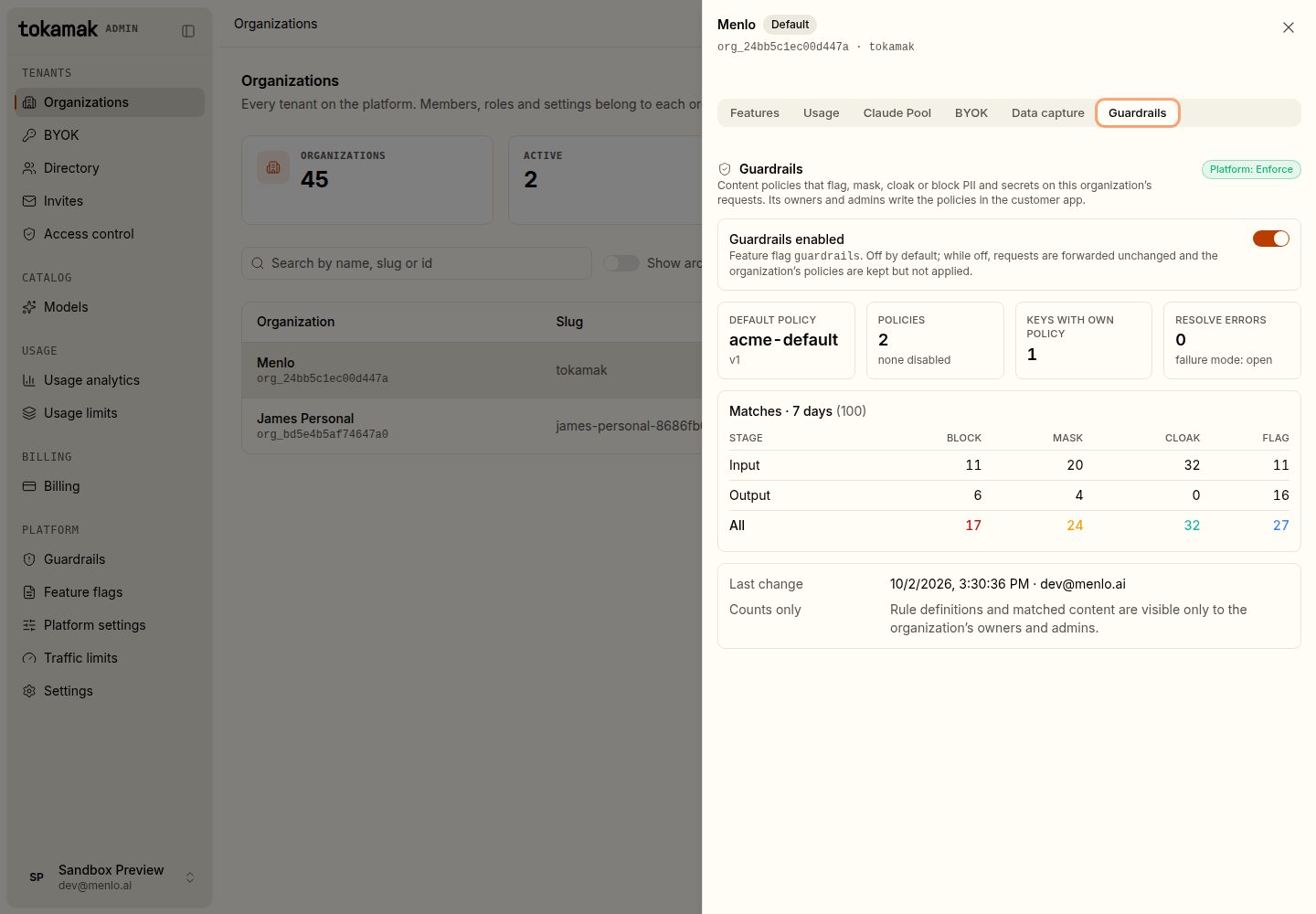
| Setting | Default | What it does |
|---|---|---|
| Guardrails enabled | Off | The guardrails organization feature. While it is off, requests are forwarded unchanged and the organization's policies are kept but not applied; its policy routes answer 403 feature_disabled for writes |
A switch reaches every server within 30 seconds. Every change is recorded in the admin audit log.
Watch every organization
Platform › Guardrails lists every organization with the feature on, its default policy, how many keys have their own policy, seven days of matches by action, its failure mode and screening errors. Select a row to open that organization's tab.
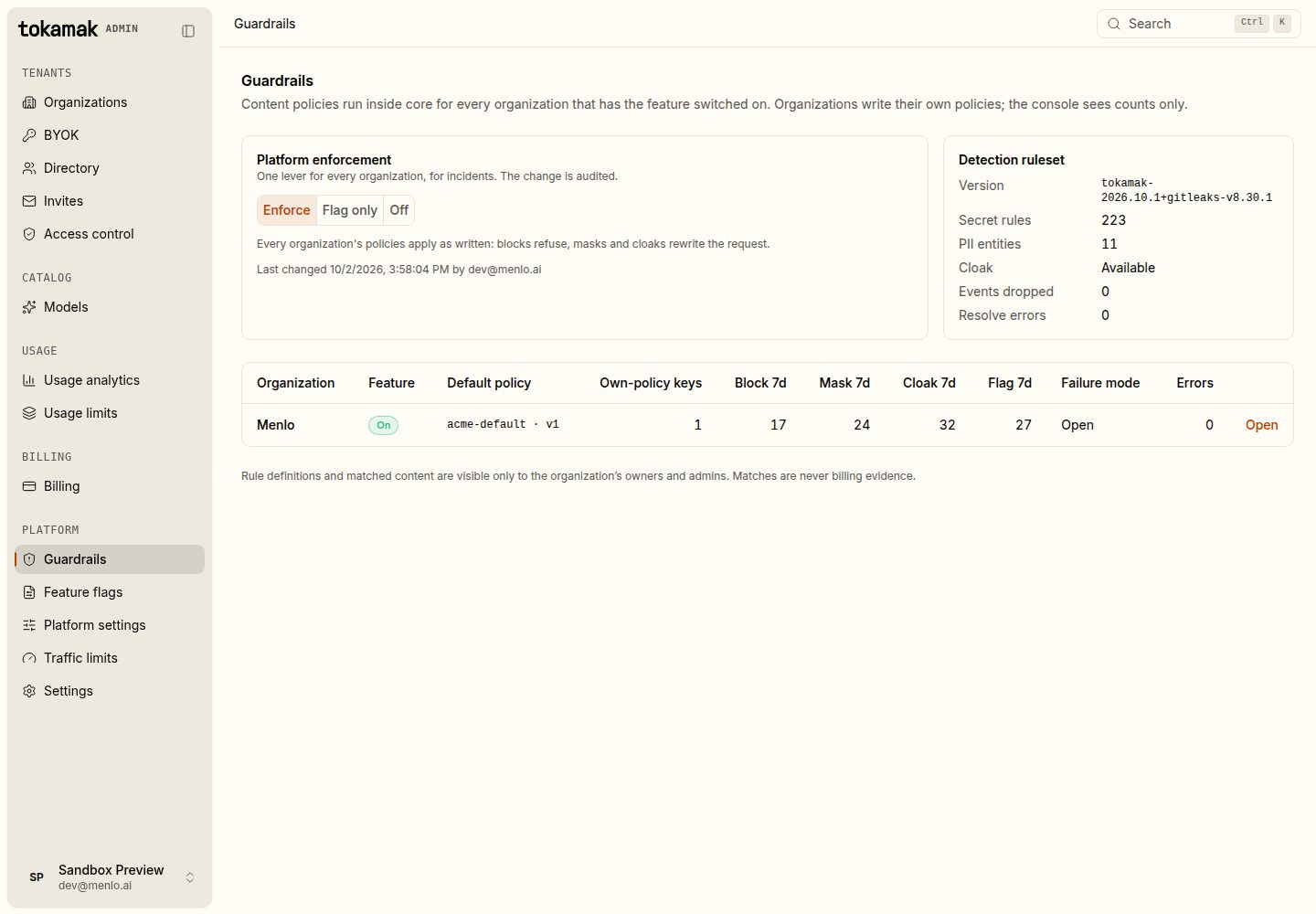
- Events dropped counts match records the server could not write in time. Requests are never slowed or refused to record a match.
- Resolve errors counts requests whose policy could not be loaded. They were forwarded unscreened, unless the organization chose to refuse them (
503 guardrail_unavailable).
Platform enforcement
One setting applies to every organization:
| Value | Effect |
|---|---|
| Enforce (default) | Every organization's policies apply as written |
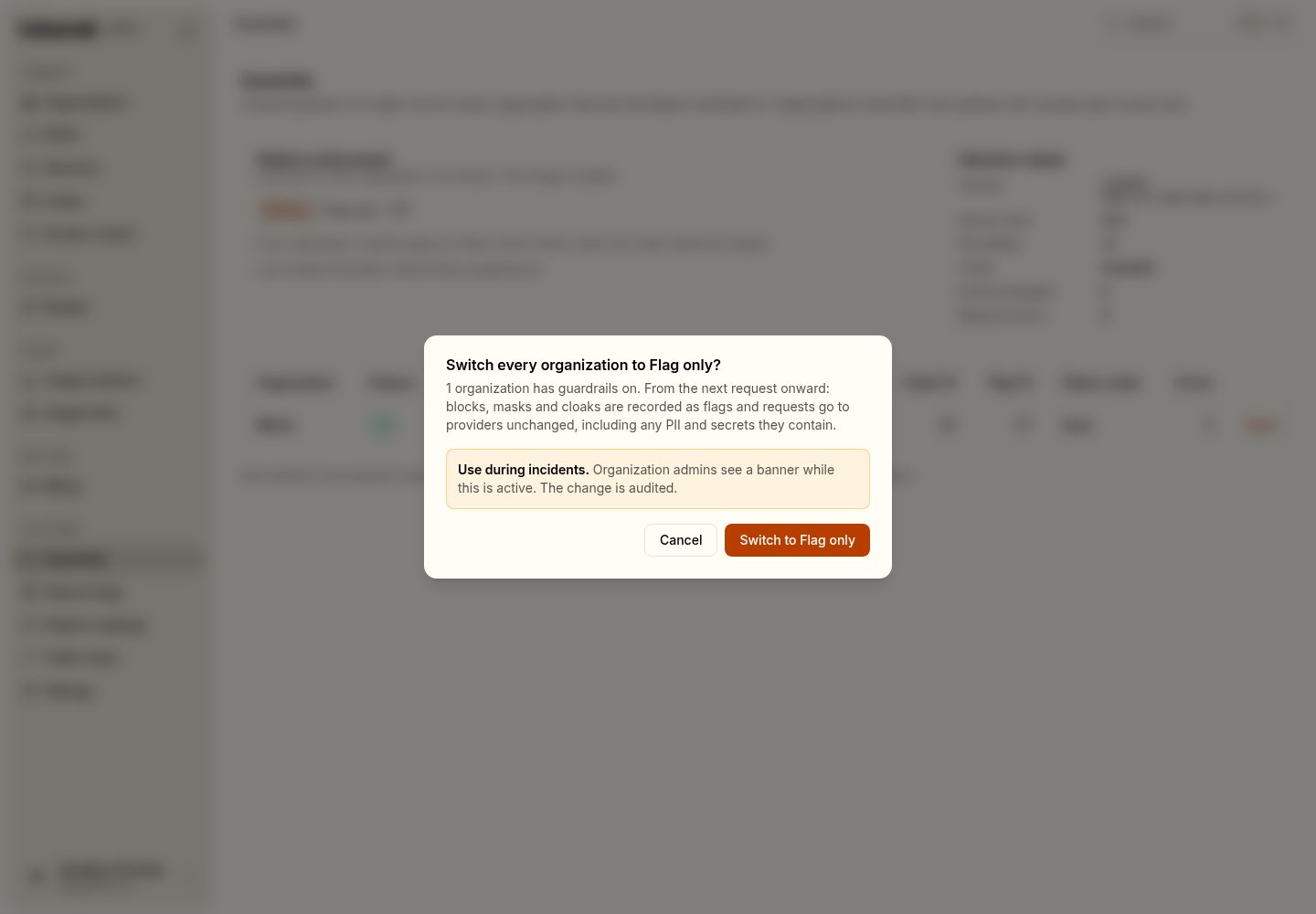
| Flag only | Blocks, masks and cloaks are recorded as flags and requests go to providers unchanged |
| Off | No screening at all |
Use Flag only when a rule is refusing traffic it should not and the organization cannot fix it in time. Organization admins see a banner while it is on, and the change is audited.
What the platform keeps
- A guardrail match is never billing evidence. Cost stays on usage records. A request blocked before forwarding is not sent to a provider and is not charged; an answer cut by an output rule is charged for what the provider produced.
- A match never grants or removes access. No header or request tag can select, skip or weaken a policy.
- Mask and cloak are the one change Tokamak makes to a request body beyond the model id and stream usage, and only when the organization configured them. The provider, the request archive and data capture receive the protected body.