
Guardrails
Screen what your organization sends to models. Find secrets, personal data and denylisted content in prompts, tool results and answers, and flag, mask, cloak or block it, with no client changes.
Guardrails are content policies your organization applies to its own inference traffic. A policy holds rules that find secrets (API keys, tokens, passwords, private keys), personal data (emails, phone numbers, cards, bank and ID numbers) and words or patterns you choose. Each match is flagged, masked, cloaked or blocked before the request reaches a model, and optionally on the way back too.
Screening runs inside Tokamak on every route (/v1/chat/completions, /v1/messages, /v1/responses, /v1/messages/count_tokens), in every turn, including tool results such as a .env file an agent just read. Nothing is sent to another service to classify it. Clients do not change: a coding agent keeps working, and only what it would have leaked changes.
Three things to know before you start:
- It is an organization opt-in. Guardrails are off until a platform administrator switches the feature on for your organization. Then your owners and admins (
org.admin) write the policies. - It never touches billing. A match is not billing evidence and grants nothing. A blocked request is never sent to a provider and is not charged. Cost stays in Analytics.
- No header can switch it off. A policy is chosen by the API key and the organization, never by anything a caller sends, including
X-Tokamak-Tag.
1. Switch it on (platform administrator)
In the platform console open Organizations → your organization → Features and turn on Guardrails. The Guardrails tab on the same sheet shows counts only. See Guardrails for administrators.
2. Create a policy
In the app open Settings → Guardrails. You need org.admin.
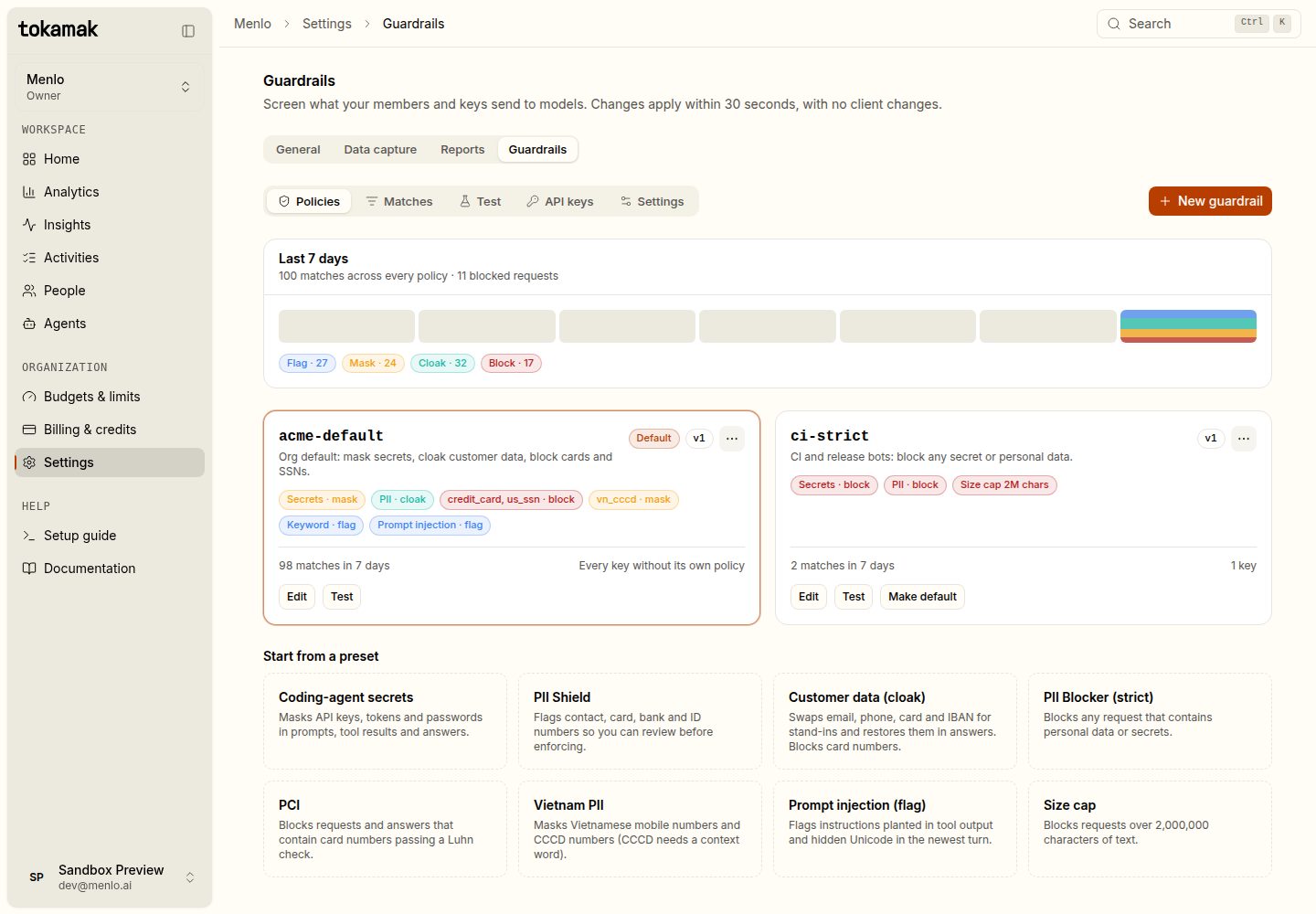
Start from a preset or New guardrail. A policy is a list of rules that run in order:
| Rule | Finds | Actions |
|---|---|---|
| Secrets | 223 secret formats (AWS, GitHub, Stripe, Slack, OpenAI, Anthropic, private keys, …) from the gitleaks ruleset, passwords in connection strings and Tokamak keys | flag · mask · block |
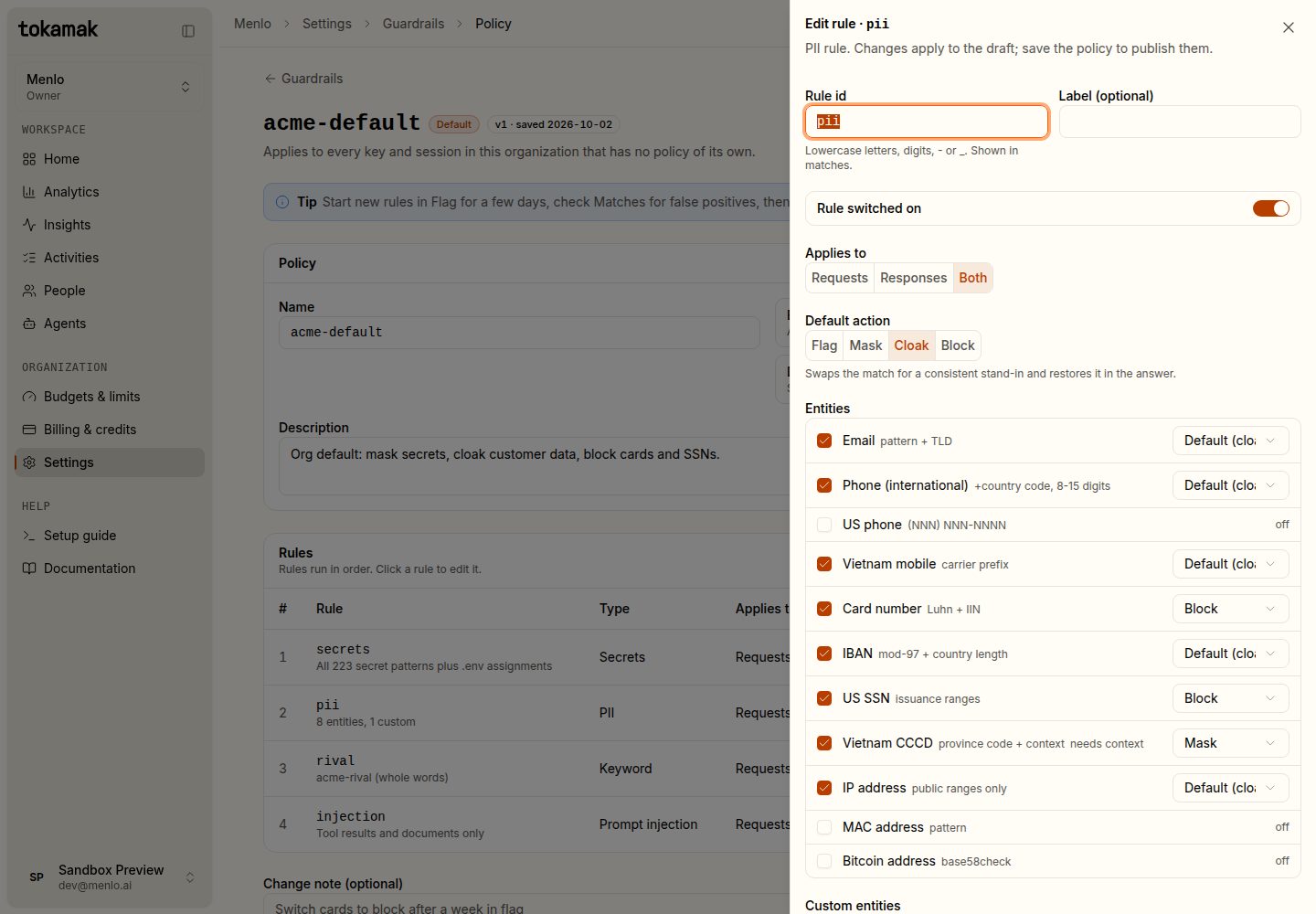
| PII | email, phone, US and Vietnamese phone, card number (Luhn + issuer), IBAN (checksum), US SSN, Vietnamese CCCD (needs a context word), public IP, MAC, crypto wallet, and your own custom entities | flag · mask · cloak · block, per entity |
| Keyword | words you list, optionally whole words only | flag · mask · block |
| Regex | up to 100 RE2 patterns | flag · mask · block |
| Size cap | requests longer than a number of characters | block |
| Prompt injection | instruction overrides, role-tag spoofing and hidden Unicode in tool output and the newest user turn | flag · block |
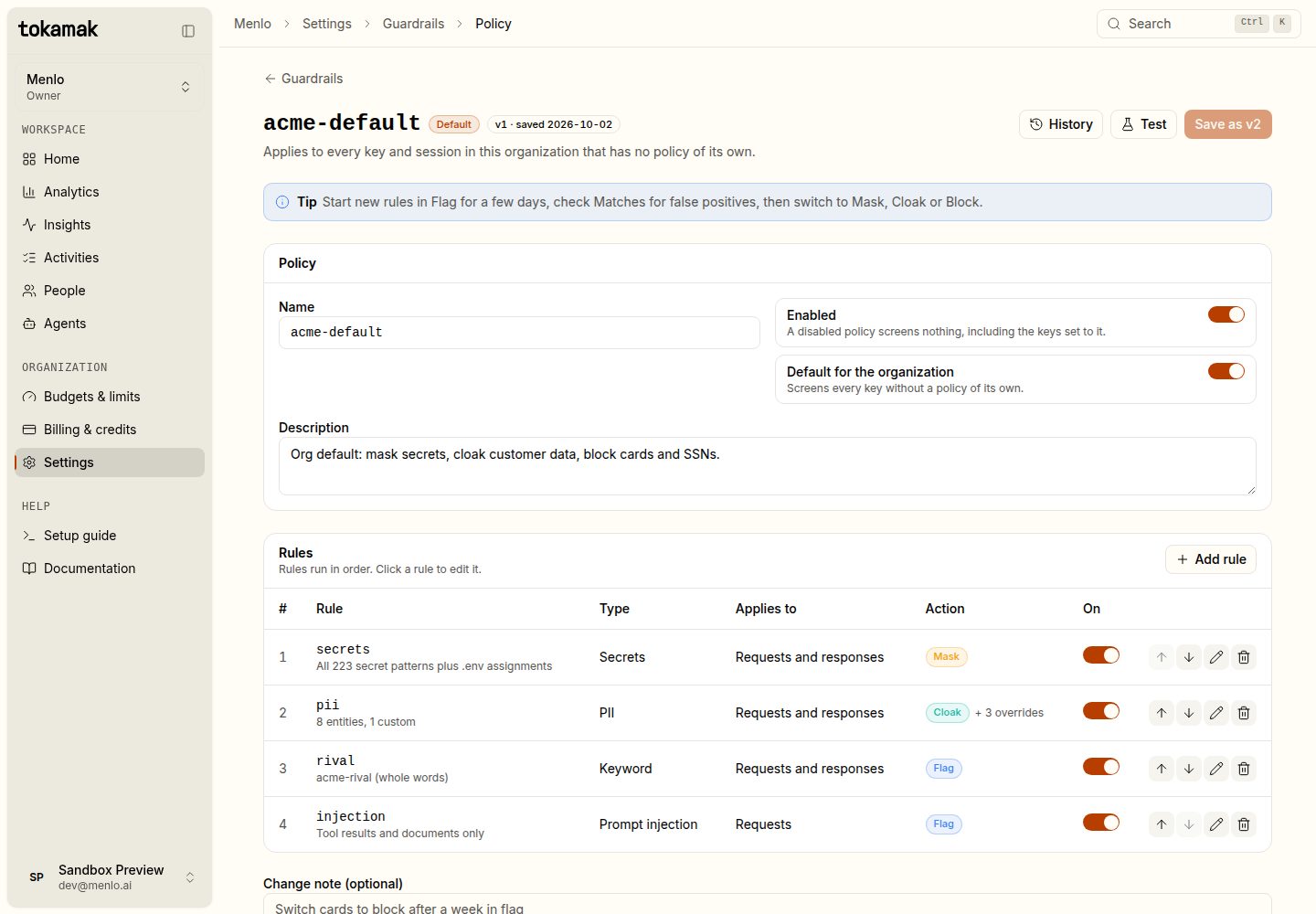
Click a rule to edit it. For PII each entity can have its own action, so cards can block while emails cloak.
What each action does
| Action | The provider receives | Your client receives |
|---|---|---|
| Flag | the request unchanged | the answer unchanged; the match is recorded |
| Mask | the match replaced with a tag, e.g. [AWS_ACCESS_TOKEN] | the answer as the model wrote it |
| Cloak | a realistic stand-in, e.g. [email protected], a test card number, an IBAN with valid check digits | the answer with your real values put back, in text and in tool-call arguments |
| Block | nothing | 400 guardrail_blocked in the route's own error format; not charged |
A blocked request looks like this. The message names the rule and where it matched, never the value:
{"type":"error","error":{"type":"invalid_request_error","code":"guardrail_blocked",
 "message":"Request blocked by guardrail \"acme-default\" (rule \"pii\": credit_card in messages[0].content)."},
 "guardrail":{"policy":"acme-default","rule":"pii","entity":"credit_card","stage":"input"}}
Every screened response carries X-Tokamak-Guardrail: none|flagged|masked|cloaked|blocked and X-Tokamak-Guardrail-Count. On a streamed answer the headers describe the request only, because they are sent before the answer starts.
Cloaked stand-ins are derived from a secret, your organization and a key version, so the same value always gets the same stand-in within a conversation. Nothing is stored and prompt caching keeps working.
Start in Flag. Run a new rule in flag for a few days, check Matches for false positives, then switch it to mask, cloak or block.
3. Test before you save
Test runs a saved policy against text or a request body in any of the three API formats. Nothing is sent to a provider, recorded or charged.
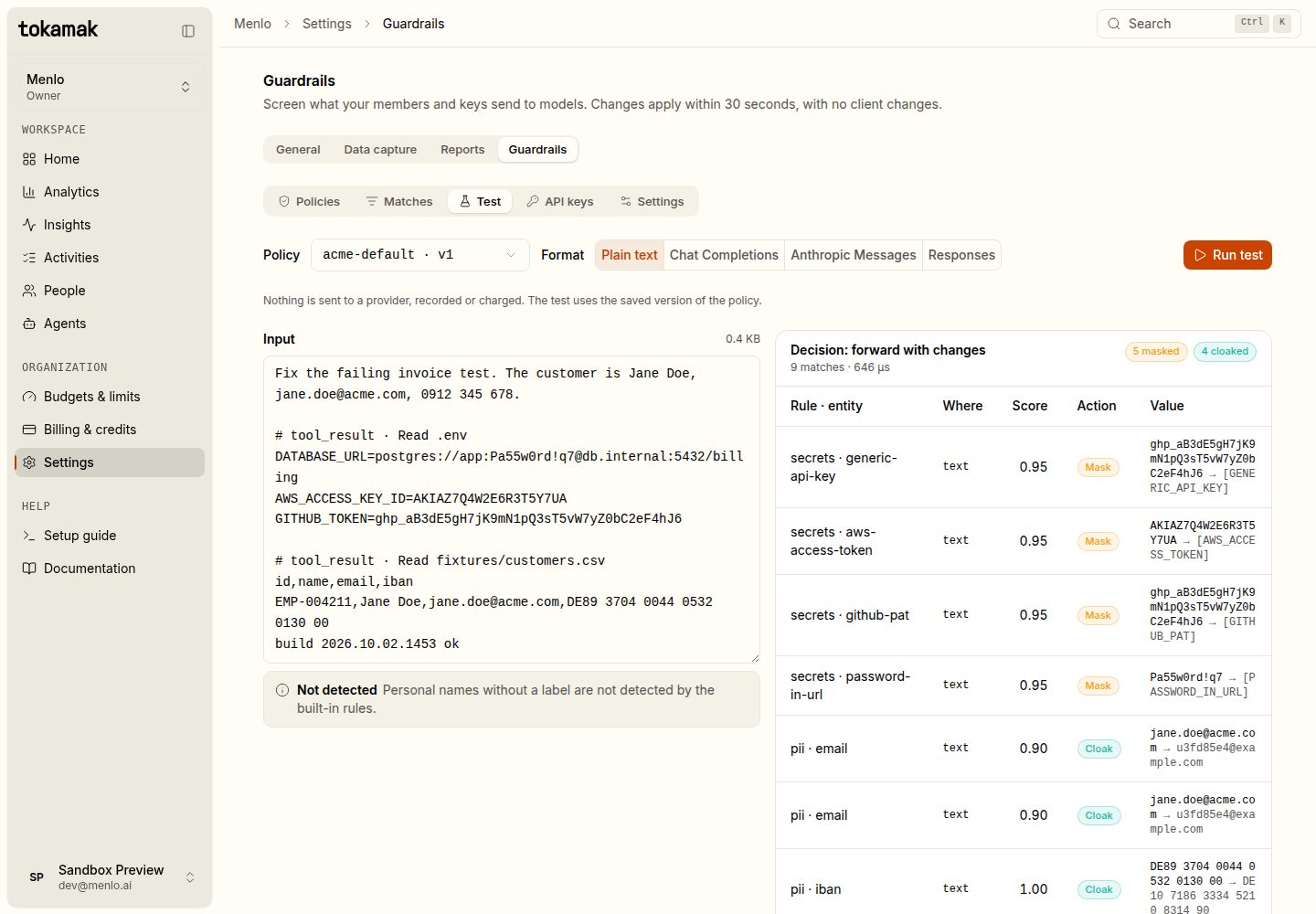
4. Give a key its own policy
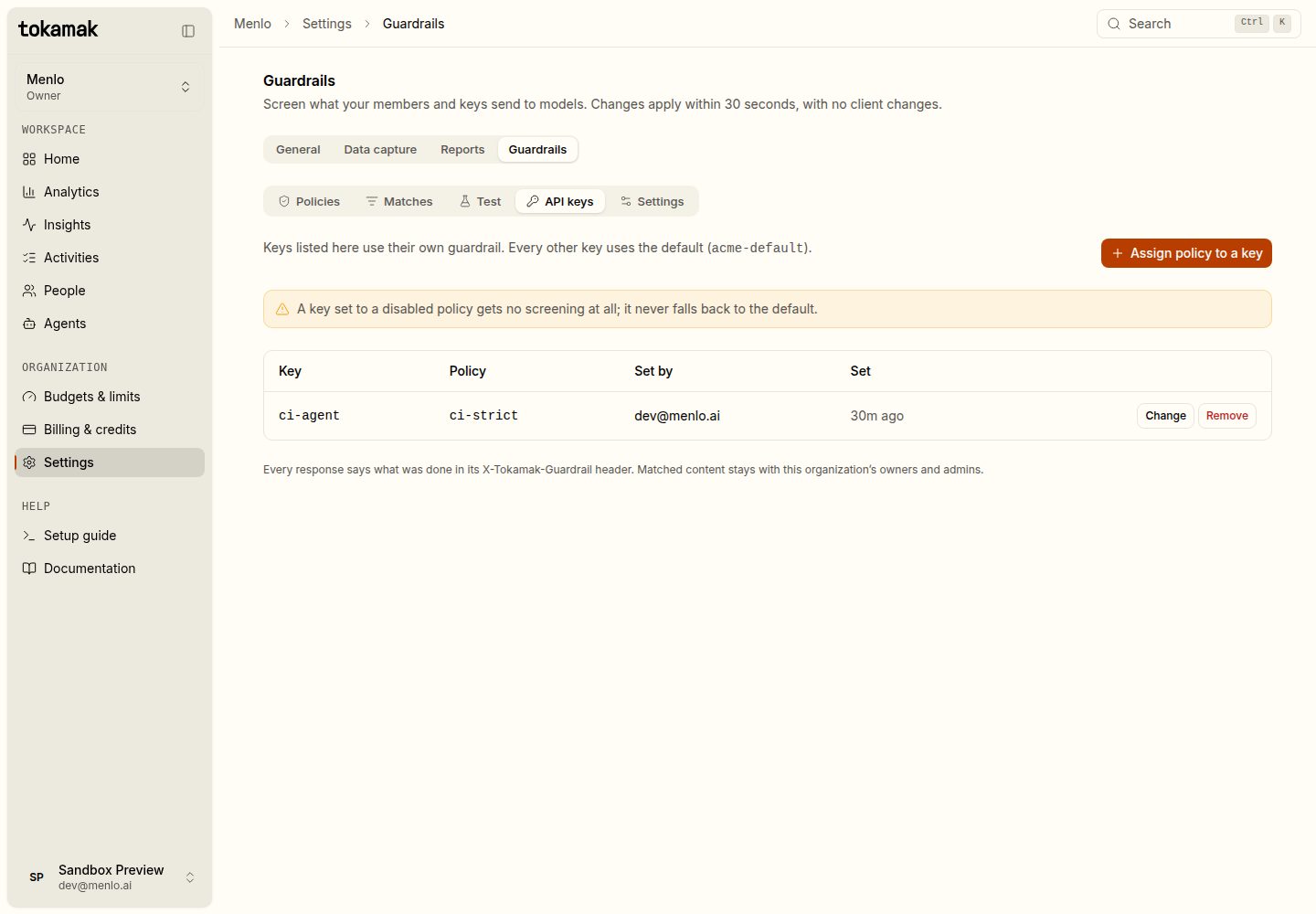
By default every key and every signed-in member uses the default policy. Under API keys, assign a stricter policy to a CI or release key.
5. Review matches
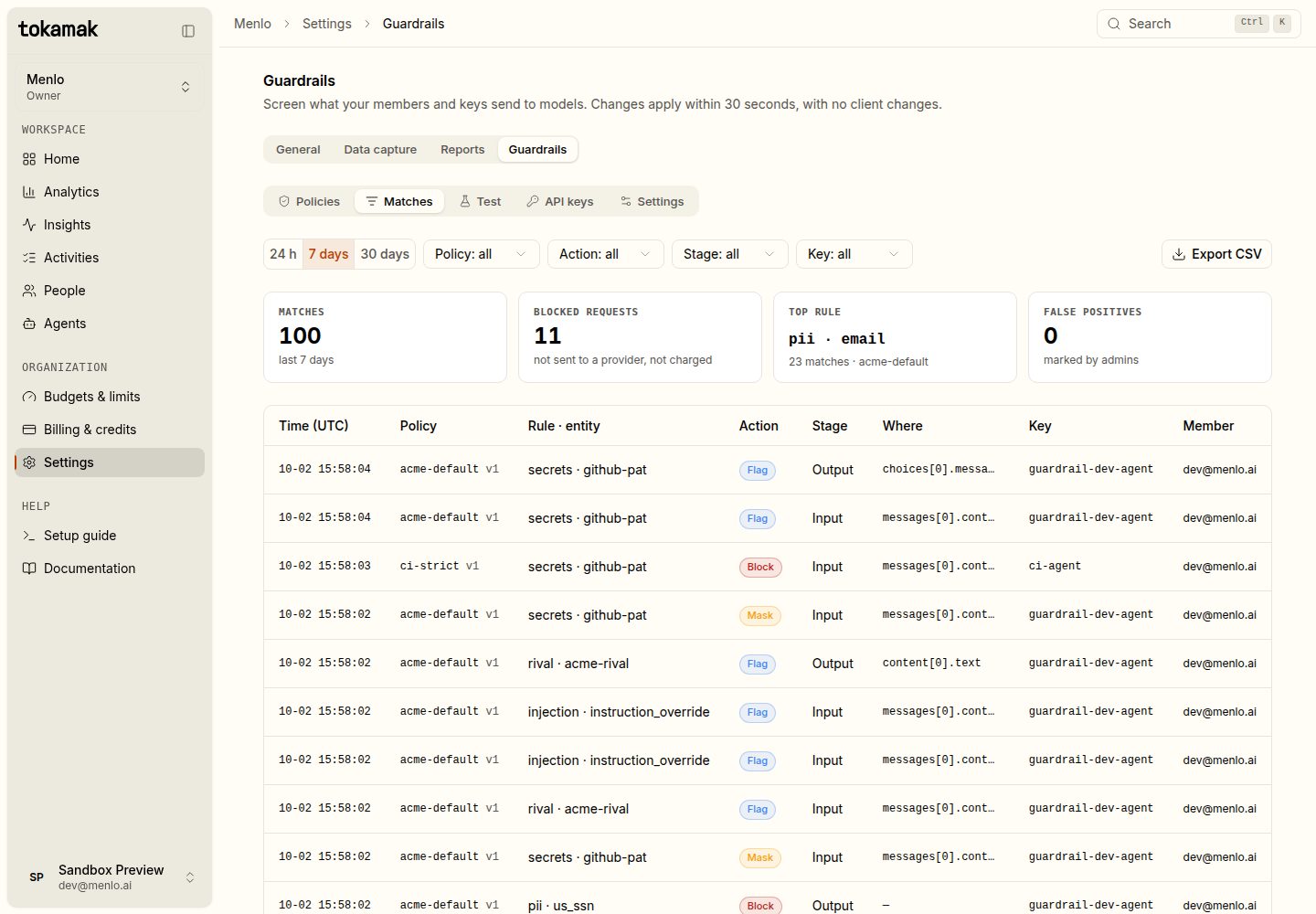
Matches lists every match with its policy, rule, entity, action, stage, JSON path, key and member. Mark a match as a false positive to tune the rule, or Export CSV.
6. Settings
| Setting | Default | What it means |
|---|---|---|
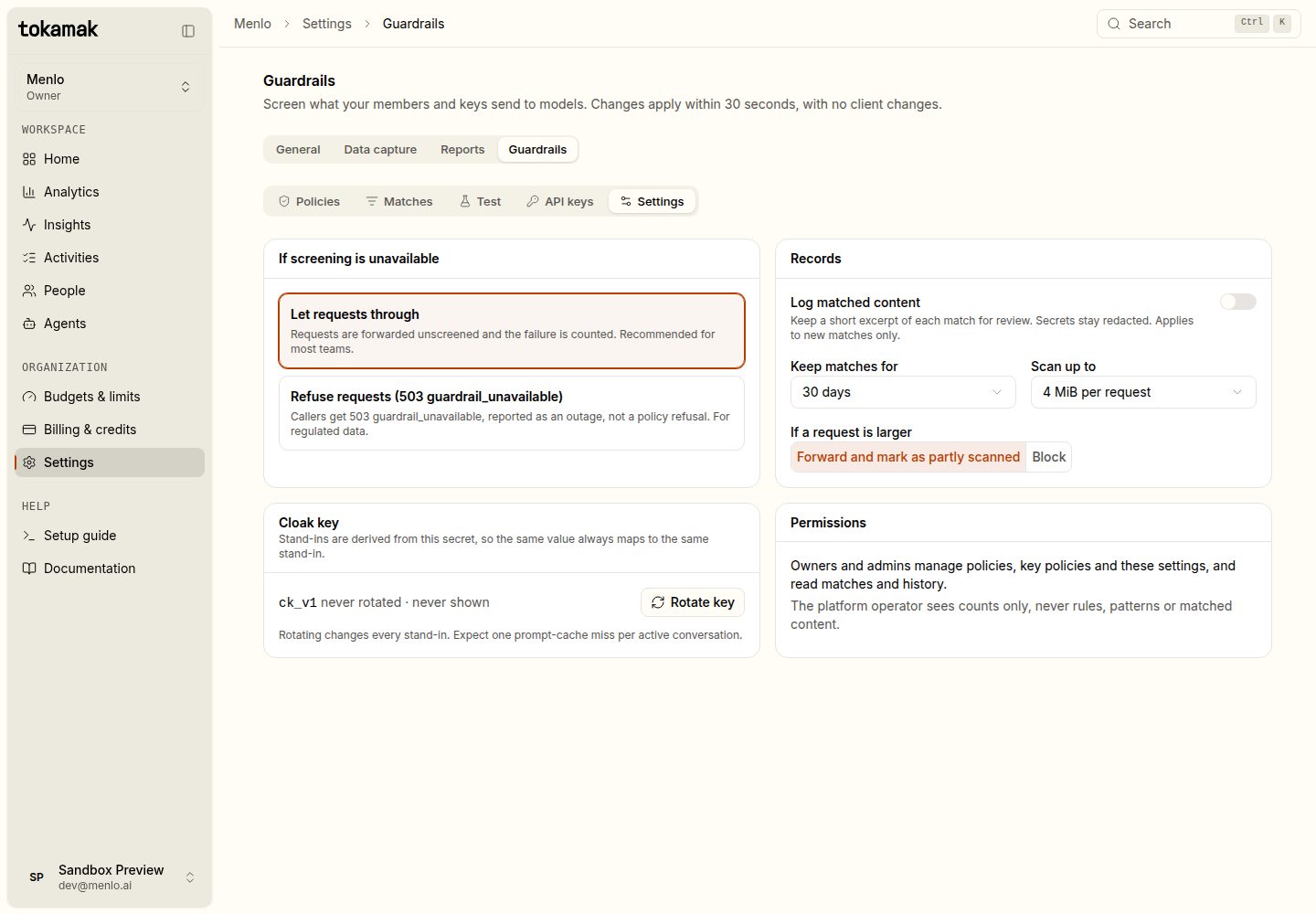
| If screening is unavailable | Let requests through | If a policy cannot be loaded the request is forwarded unscreened and counted. Refuse answers 503 guardrail_unavailable instead, an outage rather than a content refusal. |
| Log matched content | Off | Keep a short excerpt (≤ 256 characters) of each new match for review. Secrets are never kept. |
| Keep matches for | 30 days | Match records are deleted after this. |
| Scan up to | 4 MiB | Newest content is scanned first. A larger request is forwarded and marked partly scanned, or blocked if you choose. |
| Cloak key | — | Rotate it to change every stand-in. Expect one prompt-cache miss per active conversation. |
Answers
When a policy has rules that apply to responses, or the request was cloaked, Tokamak also screens the answer:
- A non-streaming answer is checked whole, then sent.
- A streamed answer is checked as it streams. A short stretch of text is held back so a match split across chunks is caught before any of it leaves. A tool call is released when it is complete.
- A block on the answer ends the stream the way the API already does (
stop_reason: "refusal",finish_reason: "content_filter", orresponse.incomplete). Text already sent cannot be recalled. - An answer block is charged for the tokens the model produced. Only request blocks are free.
Limits
- Detection is pattern-based. Names and free-text addresses without a label are not found.
- Prompt-injection detection is a heuristic for flagging, not a guarantee.
- Thinking and reasoning blocks and images are never scanned or changed.
- Changes reach every server within 30 seconds.